
Appearance
Introduction
Organizer is a local-first app for keeping chronological logs of anything you want to track — client follow-ups, a project's progress, a personal journal, research notes, or a record of events as they happen.
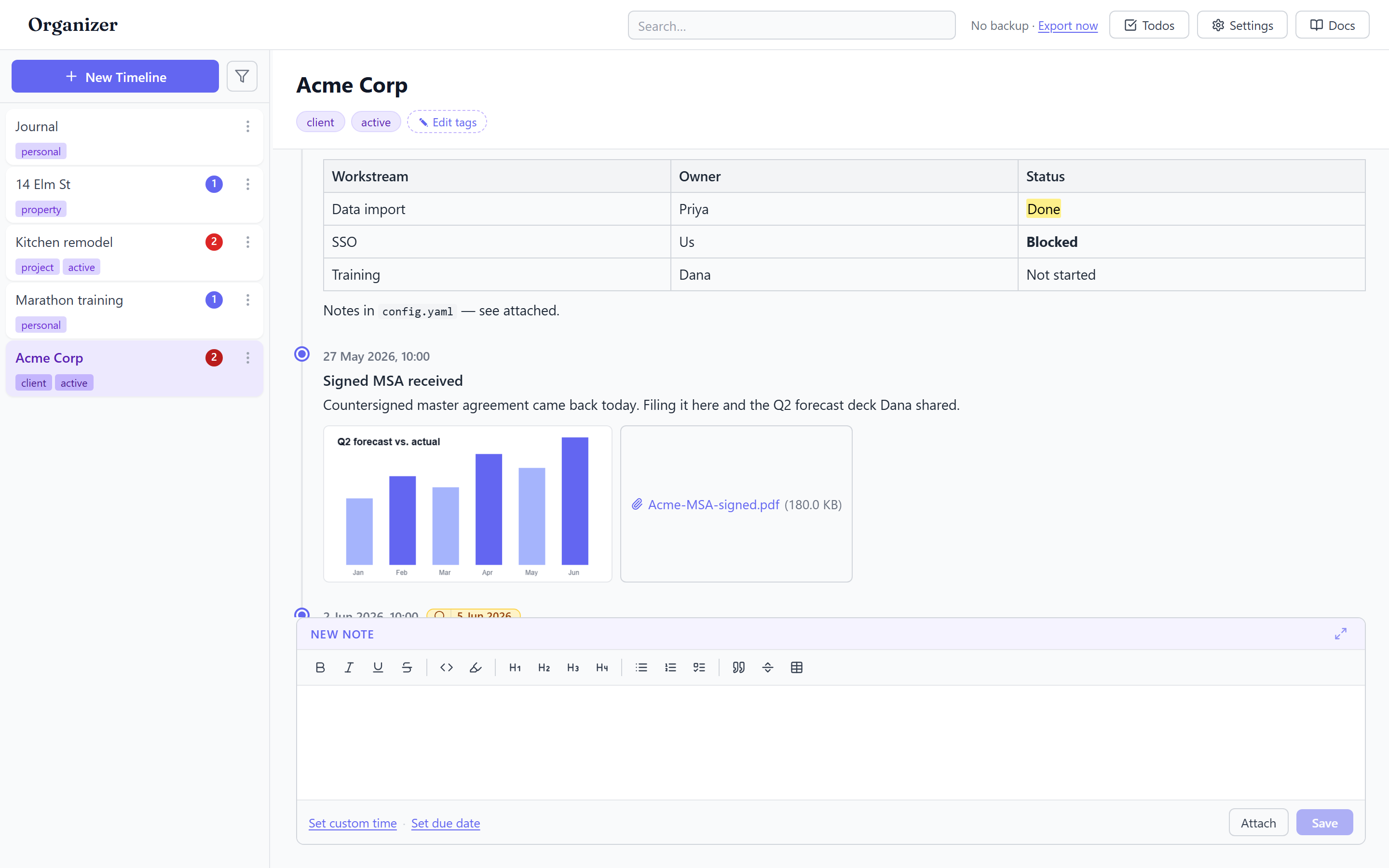
Instead of files and folders, you work with timelines. A timeline is a named log you add to over time. Each thing you add is an entry: a timestamped, rich-text note that can carry attachments, a due date, and a done/not-done state.
Why timelines?
Most note tools make you choose a structure up front. Organizer assumes the most useful structure is time: what happened, in what order, and when. You add an entry, it gets a timestamp, and the timeline grows. When you need to revisit something, you scroll the story from start to finish — or jump straight to it with search.
What makes it different
- Local-first. There's no account and no server. Your data is stored automatically in this browser on this device — no folder to pick. See Storage & backup.
- Rich, but fast. Entries support bold, italics, lists, tables, code, highlights, and links, yet adding a note is just type-and-save.
- Yours to move. Export everything to a single JSON file at any time, and import it back — on the same machine or a different one.
Core concepts
| Concept | What it is |
|---|---|
| Timeline | A named, chronological log. Can be tagged. Lives in the sidebar. |
| Entry | A single timestamped rich-text note within a timeline. |
| Attachment | A file pinned to an entry (images/video preview inline). |
| Due date | An optional follow-up date on an entry, surfaced in Todos. |
| Tag | A label on a timeline used to group and filter the sidebar. |
Next steps
- New here? Start with the Quick start.
- Want to understand where your data goes first? Read Storage & backup.
- Looking for ideas? Browse the Use cases.